

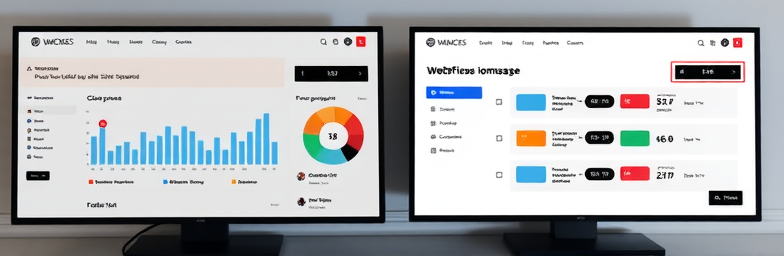
The hidden cost of patching an outdated WordPress site
If you lead a growing business, you have likely lived this cycle: a plugin update breaks your forms, a theme update kills your header, your dev patches it, and everyone moves on until the next fire. Meanwhile, leads are inconsistent, page speed is mediocre, and no one can answer the simplest question with confidence: what is working and what is not.
That cycle is expensive. Not only in retainers and lost hours, but in missed revenue. The cost of patching is the opportunity you never see.
Pretty is not performing
A beautiful site that does not convert is an expensive brochure. A performing site does three things with ruthless clarity: communicates value, guides action, and captures demand with zero friction.
Here is what that looks like in practice:
- Message: A crisp headline that states outcome, not adjectives. If you sell logistics software, show the time saved and error rates reduced.
- Path: One primary action per page. Book a demo, start a quote, or view pricing. No crowded navs or competing CTAs.
- Proof: Case studies, quantified outcomes, logos, short video walkthroughs. Social proof above the fold beats a gallery of pretty visuals.
- Capture: Fast forms that pre-qualify without scaring away buyers. Progressive profiling instead of ten fields at once.
- Speed: Sub two second loads on mobile. Every 0.5 seconds shaved reduces bounce and raises conversions.
- Measure: Clean analytics, source tracking, and CRM integration so you can scale what works.
Most legacy WordPress stacks struggle here because performance and clarity take a back seat to keeping the plugin ecosystem alive.
The real taxes of patchwork
Founders feel these four taxes even if the line items never appear on a budget:
- Time tax: Internal teams pause to chase bugs, export leads manually, or ask the dev for small edits. That is hours per week that should be spent on pipeline and product.
- Risk tax: One fragile plugin can take down your forms or expose you to security gaps. A weekend outage can erase a month of ad spend.
- Speed tax: Plugin bloat slows pages. A slow hero and render blocking scripts quietly drop conversion rates.
- Opportunity tax: Without attribution and automation, you cannot double down on winning channels or follow up in minutes. Slow follow up kills deals.
Example: a services firm we audited was spending four figures a month on patches and paid media while forms routed to a generic inbox. Median response time was 19 hours. After moving to a modern stack, response time dropped under 10 minutes and demo bookings more than doubled within 60 days.
Why the fix is not another plugin
Adding yet another form, SEO, cache, and popup plugin looks cheap, until it breaks staging or conflicts during updates. More settings do not equal more control. Control comes from fewer moving parts and a clean architecture.
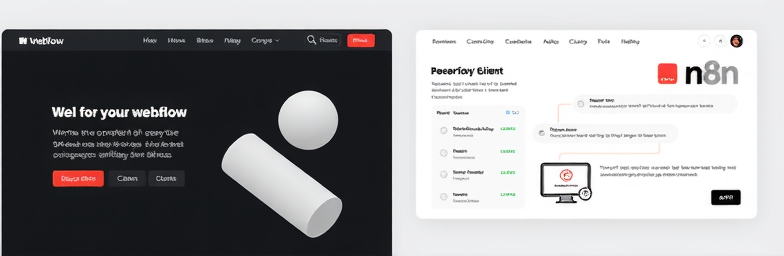
This is where a modern Webflow build paired with automation wins. You get enterprise grade speed and design control without a house of cards. Then you connect the site to the rest of your business with n8n: route leads to the right owner, score them, enrich with firmographics, trigger sequences, post to Slack, and log everything in your CRM with source and campaign attached.
What a conversion system looks like
WeCraft Studio designs systems, not pages. Our baseline includes:
- Conversion architecture: Clear hierarchy, single CTA focus per page, frictionless forms, and buyer proof placed where it reduces anxiety.
- Performance by default: Lightweight components, clean CMS, CDN hosting, and sub two second mobile loads.
- Data you can trust: Analytics, event tracking, UTM hygiene, and CRM sync so every lead has a source and a story.
- Automation that saves hours: n8n flows to de-duplicate, enrich, assign, and trigger follow ups within minutes, not days.
- A team enabled to iterate: A component library in Webflow so marketing can ship updates without a ticket queue.
Result example: After a Webflow rebuild and n8n automations, a B2B founder cut 40 hours per month of manual lead triage, reduced load time from 5.2 seconds to 1.3 seconds, and saw a 2.3x lift in qualified demos within a quarter.
When to stop patching and rebuild
Consider a rebuild if three or more apply:
- You rely on 10 plus plugins to run basics like forms, popups, SEO, and caching.
- Mobile load time is over three seconds on core pages.
- Nobody can edit content without breaking layout.
- Leads hit an inbox instead of a CRM with source tracking.
- You ship updates through a dev for minor copy or image changes.
Make your website a growth system
A site should be an operational asset, not a maintenance line item. If your current stack demands constant patching, you are paying for it in lost speed, lost clarity, and lost deals.
WeCraft Studio builds modern Webflow websites and n8n automations that turn your site into a conversion system. Fewer moving parts, faster pages, clearer paths, and follow up that happens while your team sleeps.
If you want an honest audit of what is costing you leads and how to fix it, we can help. Modern design plus smart automation equals tangible business impact.
Insights That Sparkle
Stay inspired with fresh ideas, industry tips, and behind-the-scenes stories. Our blog is where we share trends, knowledge, and a touch of creativity to help you grow, glow, and stay ahead.
%20(1).png)

.png)
.png)
.png)
%20(1).png)