


Redesign or patch again? The compounding ROI of rebuilding on Webflow.
If your site looks great but your pipeline doesn’t, you’re not alone. Many founders inherit beautiful websites that win compliments yet lose deals. Buttons go nowhere meaningful. Forms send to inboxes no one monitors. Paid traffic lands on pretty pages that can’t carry a buyer from interest to action. The result is familiar: more ad spend, more patches, same outcomes.
A beautiful website without systems is expensive decor
Design matters. But design without conversion systems is a cost center. Patching adds a silent tax: each plugin, hotfix, and custom script increases fragility and slows pages. Analytics drift out of sync. Content updates wait on developers. Your team builds workarounds instead of momentum.
Common failure modes we see before a rebuild: A single CTA that assumes every visitor is “ready to talk.” No clear path for mid-intent users who want a calculator, a demo video, or pricing clarity. Case studies exist but aren’t linked from decision pages. Forms aren’t validated, routed, or enriched—so sales wastes time triaging. And speed? Beautiful pages that take 4–5 seconds to load kill intent before the headline finishes rendering.
Aesthetics vs performance
Aesthetics answer, “Does this look like us?” Performance answers, “Does this move revenue?” High-performing sites are engineered around the buyer journey, not just the brand guide.
- Message-market clarity above the fold: who it’s for, the problem you solve, and the outcome—fast.
- One primary action per page, with secondary options for different levels of intent.
- Speed and structure that pass Core Web Vitals and keep attention.
- Trust built-in: quantified results, recognizable logos, process clarity, objections addressed.
- Offers that capture demand now (book a call) and later (guide, ROI model, template).
- Automated lead handling: validation, enrichment, routing, and SLAs—no inbox roulette.
- Measurement: events, funnels, and testing that inform—not guess—what to improve.
Why rebuild on Webflow (not patch again)
Webflow pairs clean, performant output with the speed of visual development. Rebuilding on Webflow with a modular component library changes your operating tempo.
- Architecture first: a reusable system of sections, patterns, and CMS collections—so new pages ship in hours, not weeks.
- Performance baked in: lean code, optimized assets, and global styles that protect Core Web Vitals.
- Editorial velocity: marketing can create pages, variants, and SEO content without developer queues.
- Governance: a design system enforces consistency; permissions prevent accidental breakage.
- Native SEO controls and semantic structure that search engines—and humans—understand.
- Instrumentation: consistent events on buttons, forms, modals, and CTAs across the site.
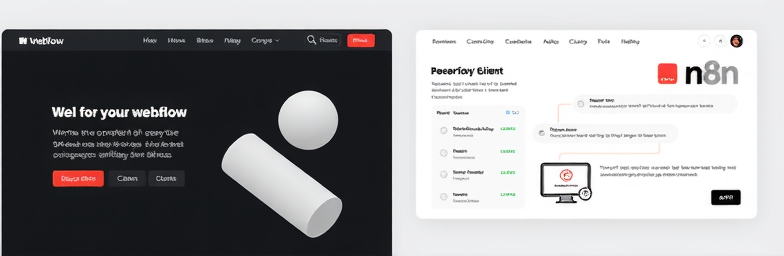
Layer in n8n automations and your website becomes a system, not a brochure: leads are validated, deduplicated, enriched (e.g., Clearbit), routed to the right owner in HubSpot or Pipedrive, notified in Slack, and segmented for tailored follow-ups—automatically.
The compounding ROI in practice
Consider a B2B services firm that came to us with a gorgeous site converting at 0.7% from paid traffic. Patching had produced a maze of scripts and manual triage. We rebuilt on Webflow with a modular library, clarified the above-the-fold message, added mid-intent offers (pricing overview, case study access, ROI worksheet), and wired forms to n8n for validation, enrichment, and routing.
Within 90 days, paid-traffic CVR moved to 1.6%. More important: sales qualified 38% more leads because junk never made it through, and response time dropped from hours to minutes via automated routing. Marketing launched 12 new landing pages in a quarter without dev support. The real win is compounding: every new page now inherits the same speed, components, analytics, and automations—so each campaign improves the whole system, not just itself.
The WeCraft way
- Baseline: audit analytics, speed, funnels, and ops friction to quantify where value leaks.
- Strategy: sharpen positioning and map buyer journeys to page types and offers.
- System design: build a component library and CMS that scales content and consistency.
- Webflow build: performance-first implementation, accessible, and easy to manage.
- Automation: n8n flows for lead handling, enrichment, routing, alerts, and follow-up.
- Measurement: event schema, dashboards, and testing so improvements are repeatable.
Bottom line
Patching extends the life of today’s problems. Rebuilding on Webflow creates a system that compounds: faster launches, cleaner data, higher conversion, and less manual work. If you’re deciding between another patch or a proper rebuild, we’ll help you model the ROI and show exactly where the compounding begins.
Insights That Sparkle
Stay inspired with fresh ideas, industry tips, and behind-the-scenes stories. Our blog is where we share trends, knowledge, and a touch of creativity to help you grow, glow, and stay ahead.
%20(1).png)

.png)
.png)
.png)
%20(1).png)