

The hidden cost of patching that old site: trust, leads, time.
Every quarter the same debate returns: do we patch the site or rebuild it right? A new hero image here, a plugin update there, maybe a pop-up. It feels frugal. It is not. The invoice just lands differently — in damaged trust, lost leads, and hours your team will never get back.
A beautiful site that quietly does nothing
Design matters. But a good-looking site with no conversion system is a showroom with no sales desk. The headline is pretty, the typography sings, and yet: the offer is vague, the primary action is buried, forms are slow or brittle, and nothing routes cleanly into your CRM. Without a clear path from attention to action, aesthetics become expensive wallpaper.
Performance is not a vibe; it is a system. Pages must load fast. Messaging must make the next step obvious. Forms must validate, track, and trigger follow-ups. Data must move where it needs to, automatically. If any of those pieces wobble, your design cannot carry the weight.
The hidden costs of patching
1) Trust leaks
Trust erodes in small, silent ways: a spinning submit button, an SSL warning on a subdomain, an outdated case study, a broken link on pricing, an accessibility fail on mobile. Visitors feel it even if they cannot name it. Credible brands look current, consistent, fast, and functional. When the site feels fragile, so does the company.
2) Lost leads
Leads slip through cracks you cannot see in a patchwork build: forms that send to a shared inbox, CTAs that compete with each other, no mid-funnel offers for people who are interested but not ready, no retargeting hooks, messy attribution. Consider a simple example: 1,000 monthly visitors. A systemized site converting at a conservative 2% creates 20 leads. A patched site stuck at 0.8% makes 8. That is 12 leads gone every month. Even with modest deal values, the pipeline impact is not small.
3) Time you never budgeted
Patching creates a hidden operations job. Someone exports CSVs, pastes into the CRM, chases no-shows, checks if notifications still fire after a plugin update, and answers the same questions the site should handle. Your team context-switches into firefighting, and strategic work slides.
What makes a website actually convert
High-performing sites share the same spine:
- Clear narrative: who it is for, the problem you solve, and the outcome you deliver, above the fold.
- One dominant action per page: book a call, start a trial, or download a guide — not all three competing.
- Focused navigation and scannable sections that de-risk the decision with social proof, FAQs, and pricing clarity.
- Fast, accessible pages that work on every device. Speed is a trust signal.
- Friction-smart forms: short for top-of-funnel; progressive for high intent; instant confirmations and next steps.
- Measurement and attribution: clean UTM handling, first-party analytics, events that map to pipeline stages.
- Automation by default: leads validated, enriched, routed, and nurtured without human babysitting.
The WeCraft way: design plus systems
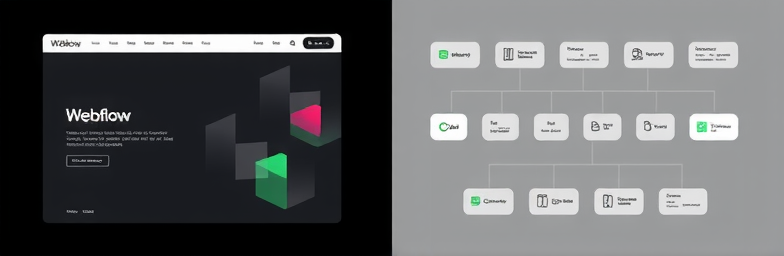
At WeCraft Studio, we pair modern Webflow builds with automation through N8n to make conversion the default, not a hope. A typical flow looks like this:
- A visitor submits a demo form. The system validates the email, enriches company context, and assigns an owner based on territory or product fit.
- The lead hits your CRM in seconds, the owner gets a Slack ping with context, and the prospect sees a friendly scheduler with protected availability.
- If they do not book, a short, human-sounding follow-up sequence goes out. If they do, confirmations, reminders, and a pre-call questionnaire are automatic.
- Leadership gets a weekly snapshot: sources driving pipeline, drop-off points, and page sections that need work.
The front end feels premium and fast. The back end hums without manual effort. That is the difference between a site that looks good and a site that grows the business.
Rebuild vs patch: a quick test
Consider a rebuild if three or more of these are true: you cannot update key content without a developer; performance is visibly slow; your CMS and plugin stack feel brittle; your primary CTA competes with other actions; leads do not consistently reach the right owner within minutes; or you cannot tell which pages create pipeline. Patch only when the foundation is sound and the issue is narrow — for example, misaligned copy or a single broken flow.
Bottom line
Patching feels cheaper because the costs do not hit your credit card. They hit your reputation, pipeline, and calendar. Invest in a system, not a facelift. Build a site where design, data, and operations work as one. If you want that done without drama, that is exactly what we craft.
Insights That Sparkle
Stay inspired with fresh ideas, industry tips, and behind-the-scenes stories. Our blog is where we share trends, knowledge, and a touch of creativity to help you grow, glow, and stay ahead.
%20(1).png)

.png)
.png)
.png)
%20(1).png)