

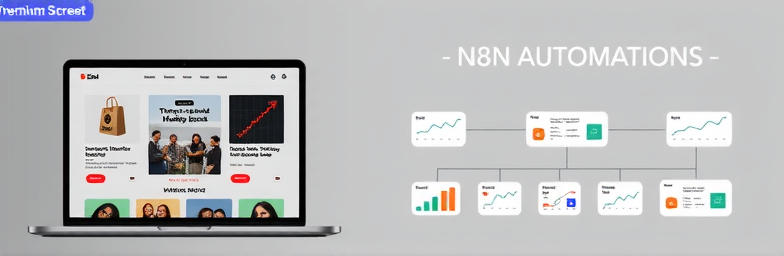
What nobody tells you about migrating off Shopify to Webflow.
Founders usually move off Shopify for three reasons: design freedom, speed, and control. Fair. But here’s the uncomfortable truth — a beautiful Webflow site won’t move the needle if you don’t rebuild the conversion systems Shopify quietly handled for you. Pretty comps can mask a leaky funnel.
Aesthetics don’t sell. Systems do.
Design matters, but performance is what pays the bills. Performance means:
- Clear offer hierarchy (why buy, why now, with what proof)
- Frictionless paths to action (pricing, variants, CTAs where intent is highest)
- Trust on every key page (reviews, policies, risk reversal, FAQs, delivery clarity)
- Page speed and stability that keep users from bouncing
- Measurement that tells you what worked — and what didn’t
If your move to Webflow is mostly about “a cleaner look,” you’ll get a cleaner look. You won’t necessarily get more revenue.
What changes when you leave Shopify
Shopify’s real advantage isn’t just templates — it’s the invisible systems: discounts, taxes, shipping logic, checkout, and an app layer that patches edge cases. Moving to Webflow gives you design control and a powerful CMS, but you must deliberately rebuild the parts that used to come “for free.” That’s where migrations fail.
The eight systems you must architect (before you migrate)
- Catalog architecture: Products, variants, options, and collections. Decide what becomes CMS content, what becomes product data, and where you’ll hit limits. Plan this first or you’ll rebuild mid-project.
- Checkout and payments: Choose your engine: Webflow Ecommerce, Foxy, Stripe Checkout, Paddle, or a custom flow. Confirm taxes, shipping, refunds, and multi-currency needs upfront.
- Promotions and pricing rules: Coupons, bundles, tiered discounts, preorders. Many “one-click” app features on Shopify require custom logic elsewhere.
- Accounts and subscriptions: If you need customer portals or recurring billing, select tools early and map data ownership. Don’t bolt it on later.
- SEO migration: Crawl your current site, map 301 redirects, preserve collection depth, implement product/schema markup, and protect your top performers. A sloppy redirect plan can erase years of rankings.
- Analytics and attribution: GA4, Meta, and other pixels need clean event mapping (view_item, add_to_cart, begin_checkout, purchase). If paid acquisition matters, tracking accuracy is non-negotiable.
- Content and landing systems: Build a component library for high-intent pages (USP bars, social proof, comparison tables, FAQs) so the team can ship pages in hours, not weeks.
- Operations and automations: Orders to fulfillment, stock alerts, CRM updates, invoices, VIP notifications. With tools like n8n, we connect Webflow and your checkout to the systems you already run.
When Webflow wins (and when it doesn’t)
Webflow shines when:
- You sell a curated catalog (not thousands of SKUs)
- Your brand story and landing pages drive demand
- You need speed, design control, and CMS-led growth (education, SEO, partnerships)
- You’re ready to design the conversion system, not just the homepage
Consider a hybrid or staying on Shopify if:
- You rely on complex checkout logic, subscriptions, or marketplace apps
- You manage large catalogs, multi-warehouse operations, or heavy POS integrations
- You need deep native features Shopify already nails
There’s also a middle path: run your front-end on Webflow for speed and storytelling, while using a specialized checkout (e.g., Foxy or Stripe) to handle the transactional heavy lifting. The point isn’t platform pride — it’s profit.
A real-world pattern we see
A DTC brand with ~50 SKUs leaves a bloated Shopify theme. We build a Webflow component library, migrate the catalog thoughtfully, implement a flexible checkout, and wire n8n automations: new orders to fulfillment, low-stock alerts, segmented email triggers, and clean event tracking. The result isn’t just nicer pages; it’s faster load times, clearer messaging, and measurable improvements in add-to-cart and ROAS because the data actually lines up.
The WeCraft way (so you don’t lose momentum — or revenue)
- Discovery & decision tree: Audit catalog, ops, analytics, and acquisition. Choose the right architecture (full Webflow, hybrid, or not yet).
- Conversion architecture: Define offers, proof, and paths to action. Build the component system your team will use daily.
- SEO-safe migration: URL strategy, 301 map, schema, and launch monitoring so rankings don’t fall off a cliff.
- Checkout & data mapping: Implement the right payments, taxes, shipping, and event tracking from day one.
- Automation with n8n: Replace app sprawl with flows that reduce manual work — and surface the metrics that matter.
- Launch & iterate: Post-launch dashboards, A/B testing, and a backlog that prioritizes revenue, not vanity.
If you’re frustrated with a sluggish, app-heavy store and considering Webflow, don’t just switch platforms. Redesign the system that converts attention into revenue. That’s the difference between a prettier site — and a stronger business.
When you’re ready, WeCraft Studio will help you choose the right architecture, migrate safely, and wire the automations that make growth feel inevitable.
Insights That Sparkle
Stay inspired with fresh ideas, industry tips, and behind-the-scenes stories. Our blog is where we share trends, knowledge, and a touch of creativity to help you grow, glow, and stay ahead.
%20(1).png)

.png)
.png)
.png)
%20(1).png)